
Swapping Landmarks
Mark A. Conaway
Introduction
One of the most common errors during the landmarking process is
mis-ordered landmarks. Particularly when landmarks are close together it
can be easy to place them in the wrong order. To correct this, we can
swap the coordinates between two landmarks.
Swap two landmarks
Let’s look at some example data and check for outliers:
plotOutliers(gpagen(data)$coords)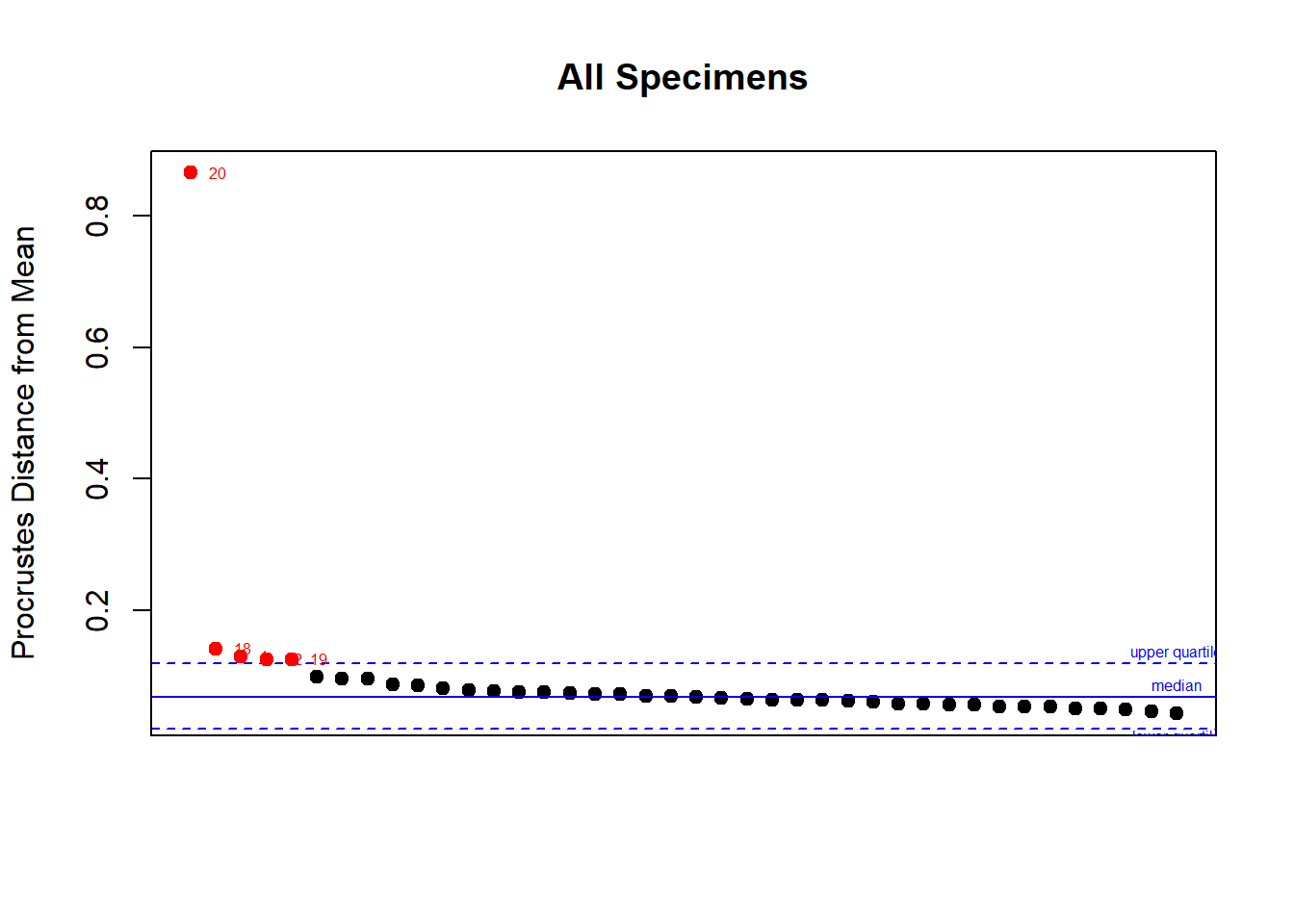
Extreme outliers like this are most often caused either by off-sided individuals who need to be reflected, or in this case, by a landmarking error:
plotRefToTarget(data[,,20], mshape(data), method = "vector", label = T)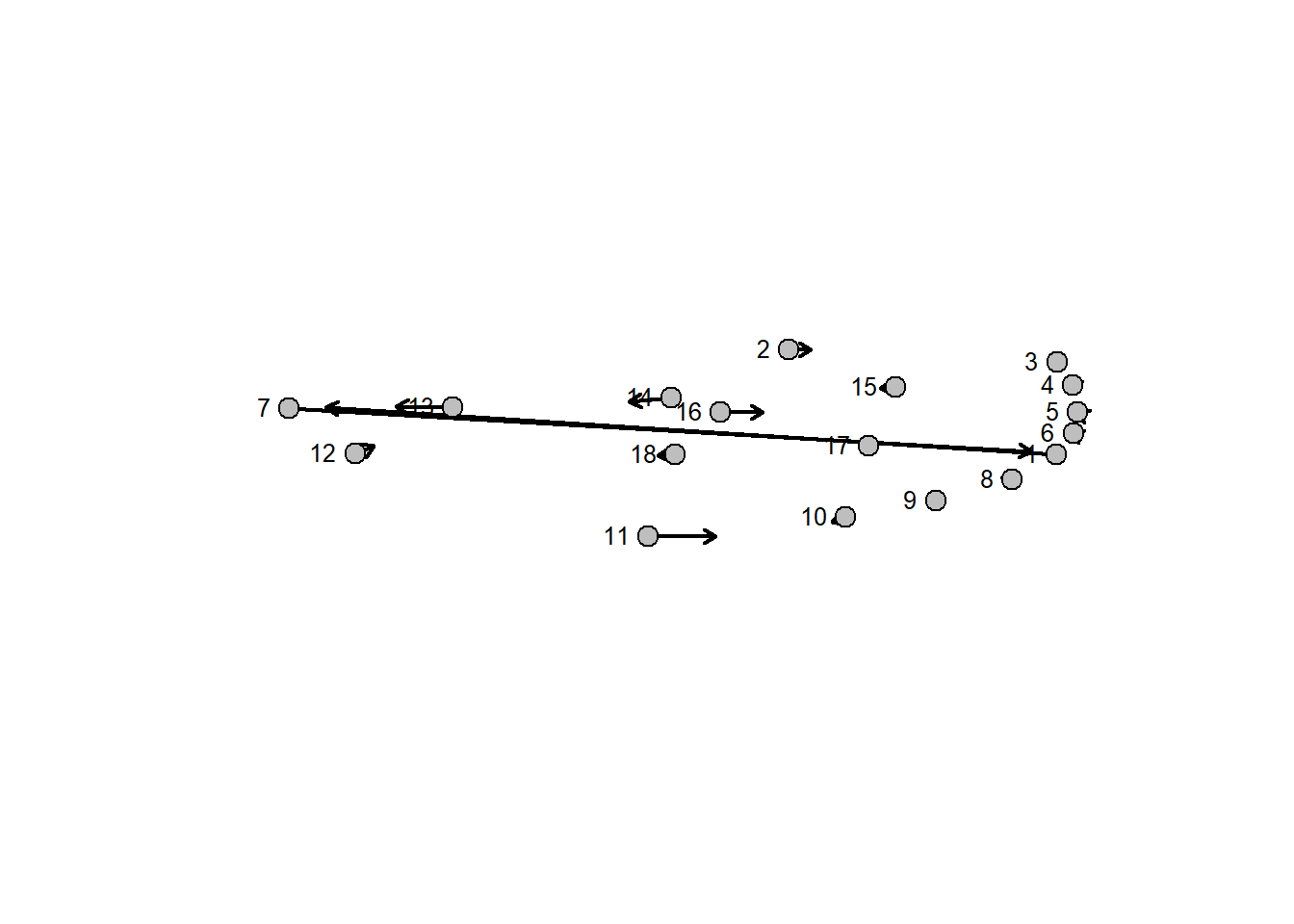
Here, landmarks 1 and 7 have been placed in the wrong order on specimen number 20. To correct this, we simply:
data[c(1,7),,20] <- data[c(7,1),,20]
plotRefToTarget(data[,,20], mshape(data), method = "vector")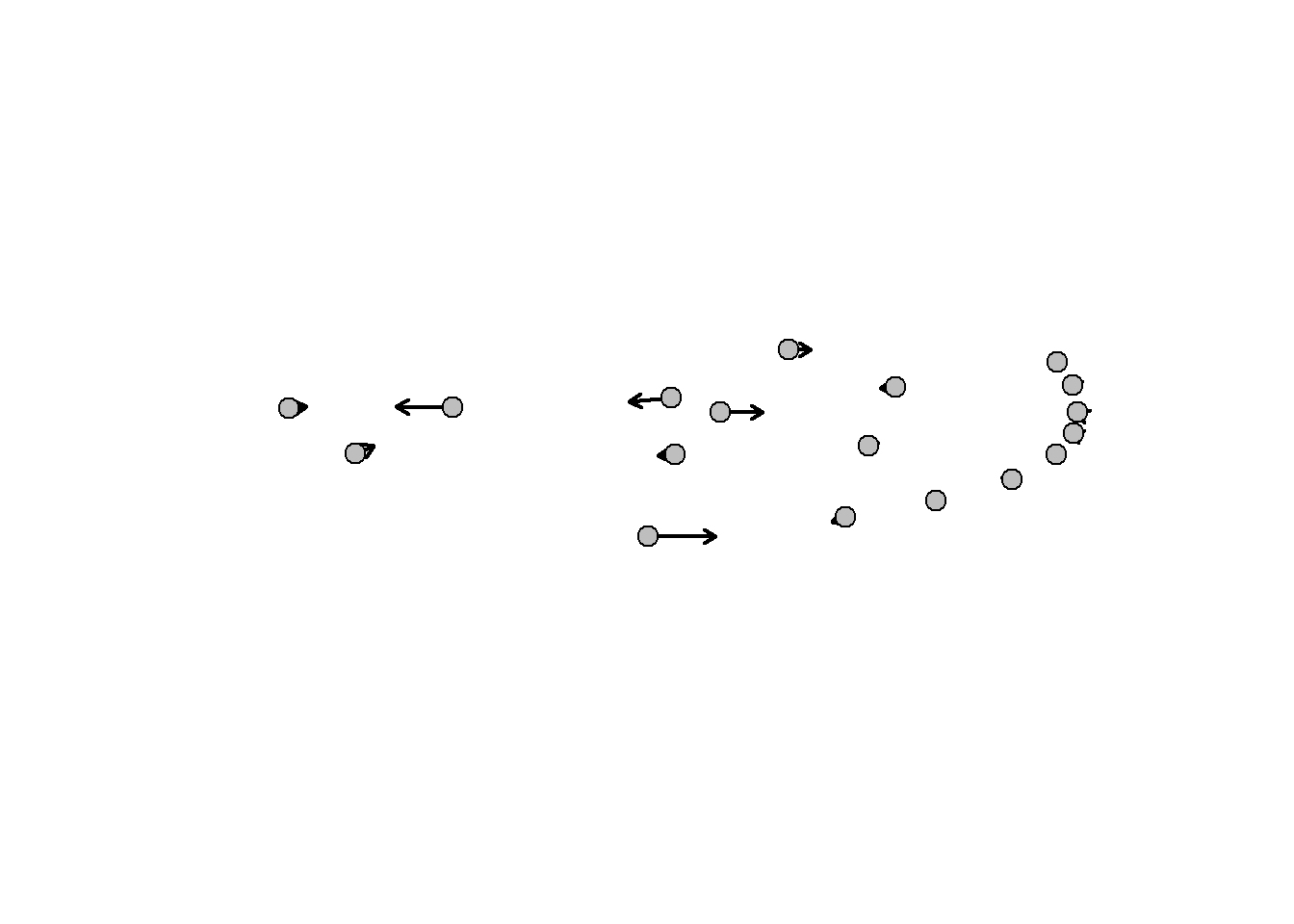
Swap multiple sets
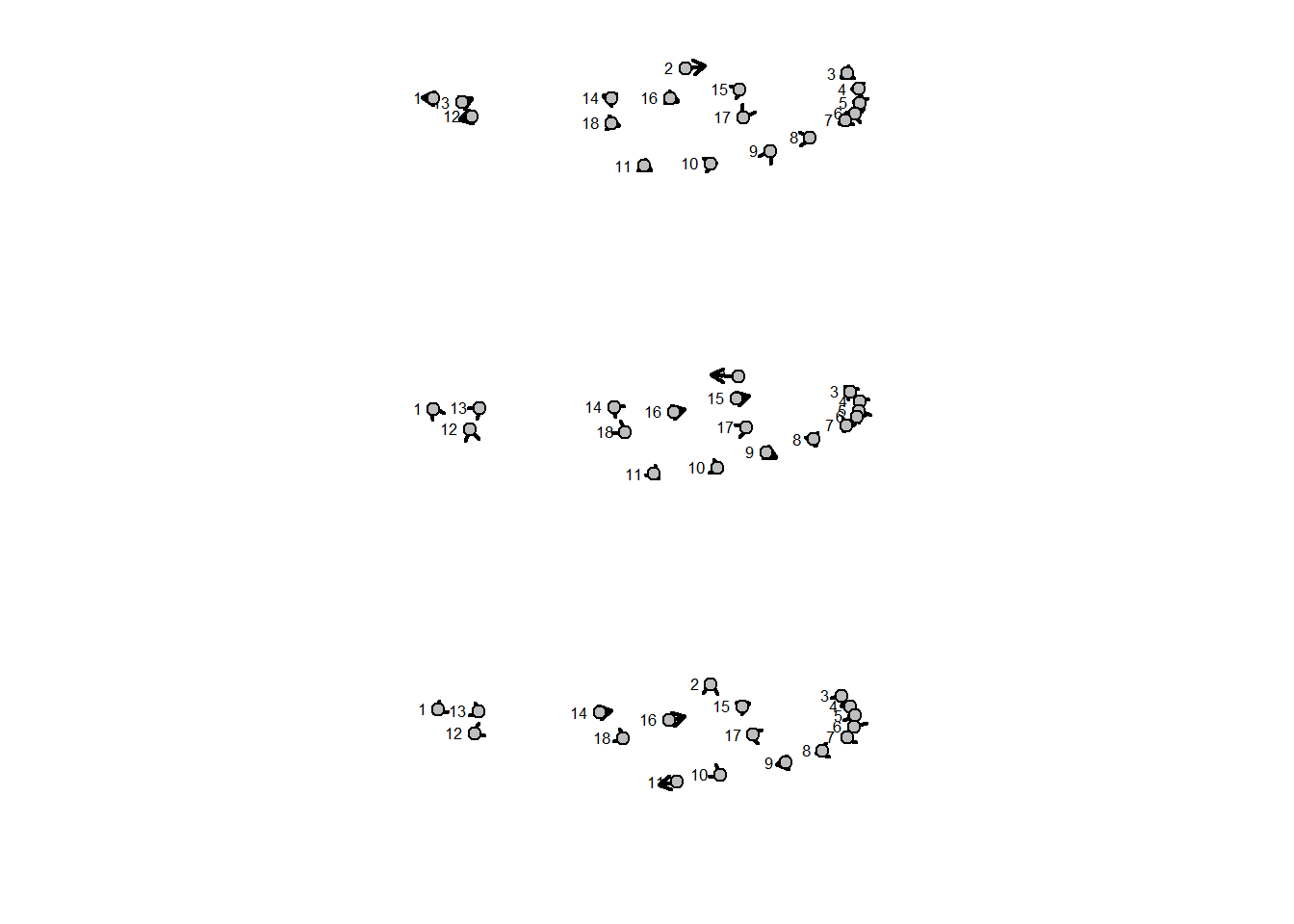
In the event that multiple pairs of landmarks have been swapped on multiple specimens, the procedure is essentially the same, but requires more careful attention so as not to accidentally create a more severe error by swapping the wrong landmarks. Here we have a dataset with three specimens with two different landmarking errors:
data <- gpagen(mosquito$wingshape)$coords
data[c(1,3,7,8),,c(4,8)] <- data[c(3,1,8,7),,c(4,8)]
data[c(1,9),,9] <- data[c(9,1),,9]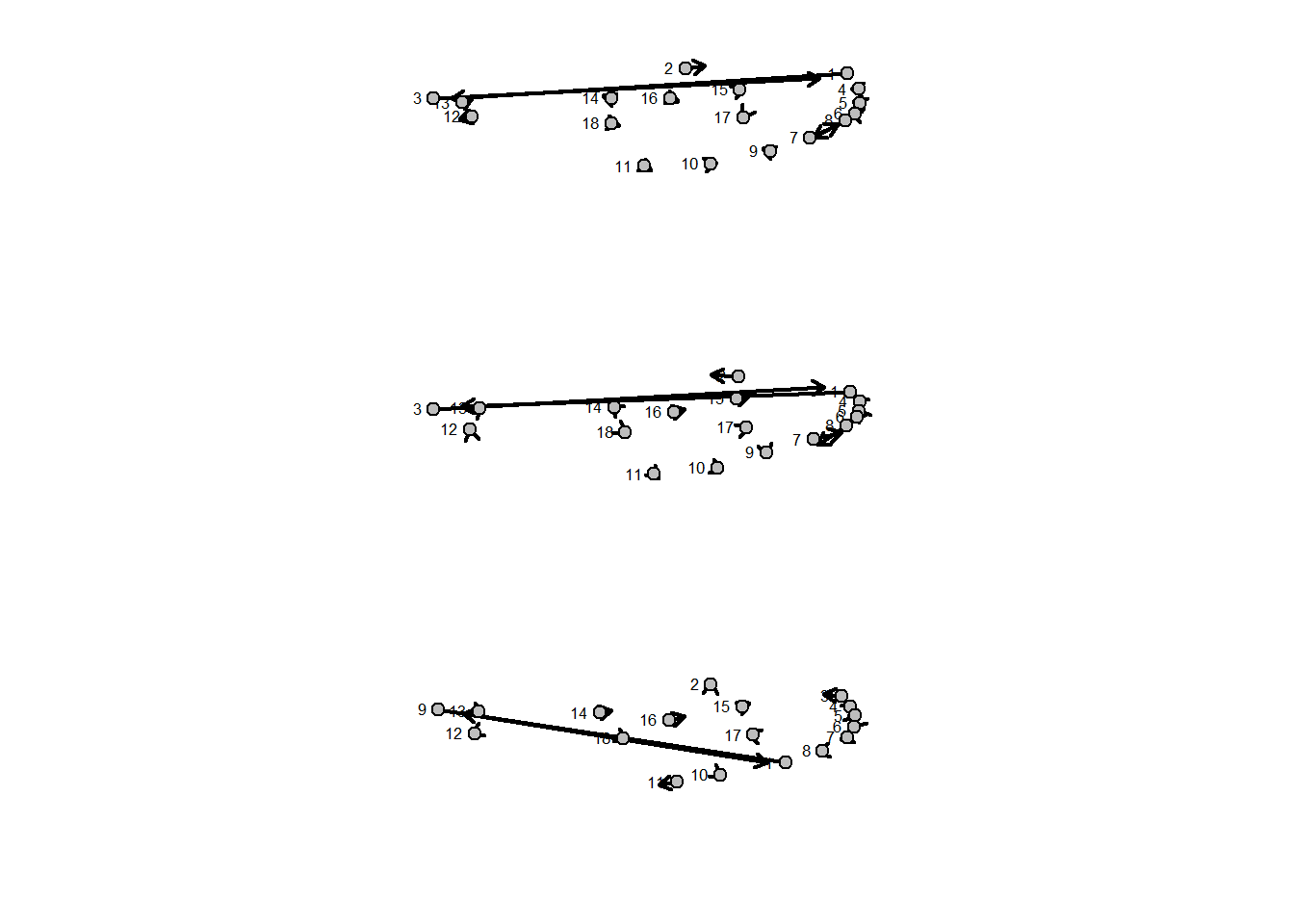
Here, landmarks 1 and 3, and 7 and 8 have been swapped on specimens 4 and 8. Additionally, landmarks 1 and 9 have been swapped on specimen 9. To correct this we need to run two separate lines of code:
data[c(1,3,7,8),,c(4,8)] <- data[c(3,1,8,7),,c(4,8)]
data[c(1,9),,9] <- data[c(9,1),,9]
And finally we check our work:
Important Note! This method is not a substitute for
careful landmarking! If two landmarks are close enough to each other,
but nevertheless swapped, that specimen may not register as an extreme
outlier, or it may be less obvious that those landmarks have been
swapped when plotted using plotRefToTarget.